UX Research & Product Design Case Study

Click!

A research-driven mental health app designed to bridge the gap between self-help and professional support.

UX Research Mental Health Mobile App 2023
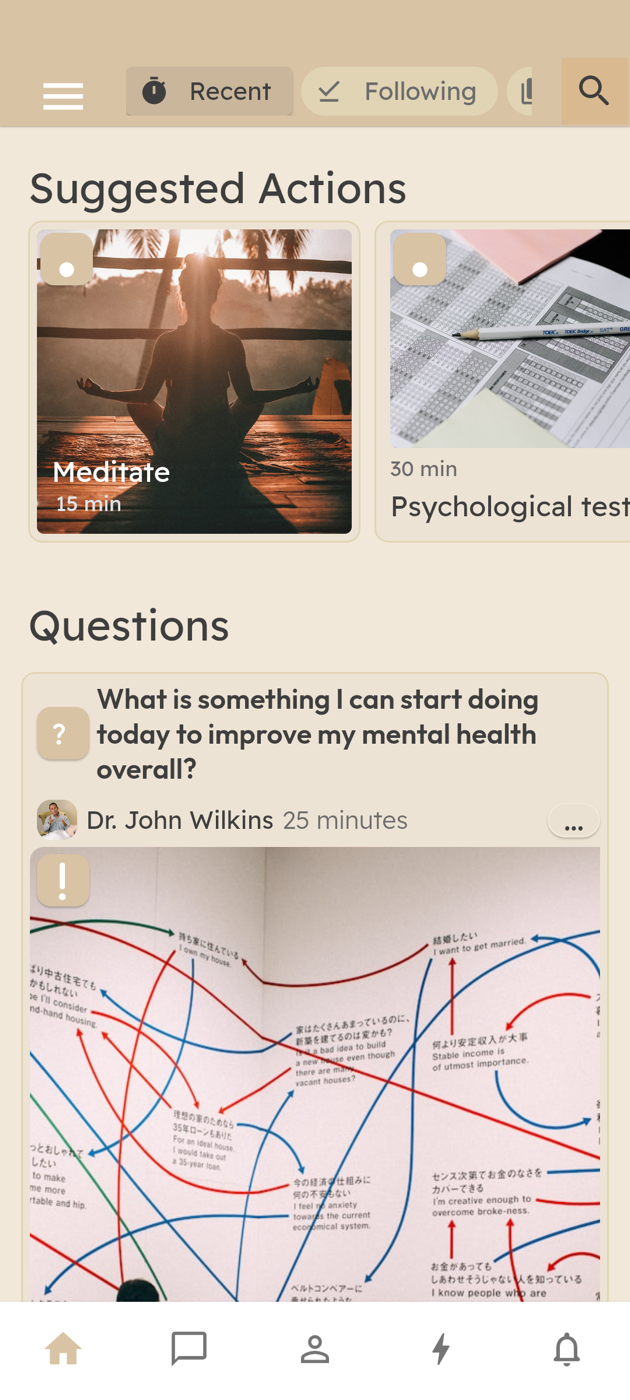
Click! home feed with suggested actions and community questions
Role
Lead UX Researcher / Clinical Psychology PhD Student
Tools
Canva, MaxQDA, Whiteboards, FlutterFlow, Figma
Team
1 UX Researcher/PhD Student, 1 Psychology Professor, 1 IT Professor, 1 IT Master's Student
Timeline
Sept 2022 – Aug 2024 (2 years)

Overview

Click! was the culmination of my PhD research, a mental health app designed to facilitate help-seeking behaviors. The project was built on a foundation of three research studies, each informing key design choices.

My role spanned across UX research, usability testing, and iterative design, where I:

  • Designed three research studies to define the app's intervention model.
  • Led 3 focus groups and 6 interviews, gathering insights on how users navigate digital mental health tools (Used whiteboards to map responses).
  • Collaborated with IT experts, including an IT University Teacher and Master's student, refining the app through iterative one-on-one sessions.
  • Developed a low-fidelity wireframe and explored FlutterFlow for UI design and user testing.

Side Quests

  • H-INNOVA Competition – Positioned Whyse as a health innovation project, refining its UX strategy and engagement model.
  • FLAD Grant (2nd Application) – A follow-up application to the Luso-American Development Foundation, aimed at securing funding for development and scalability.
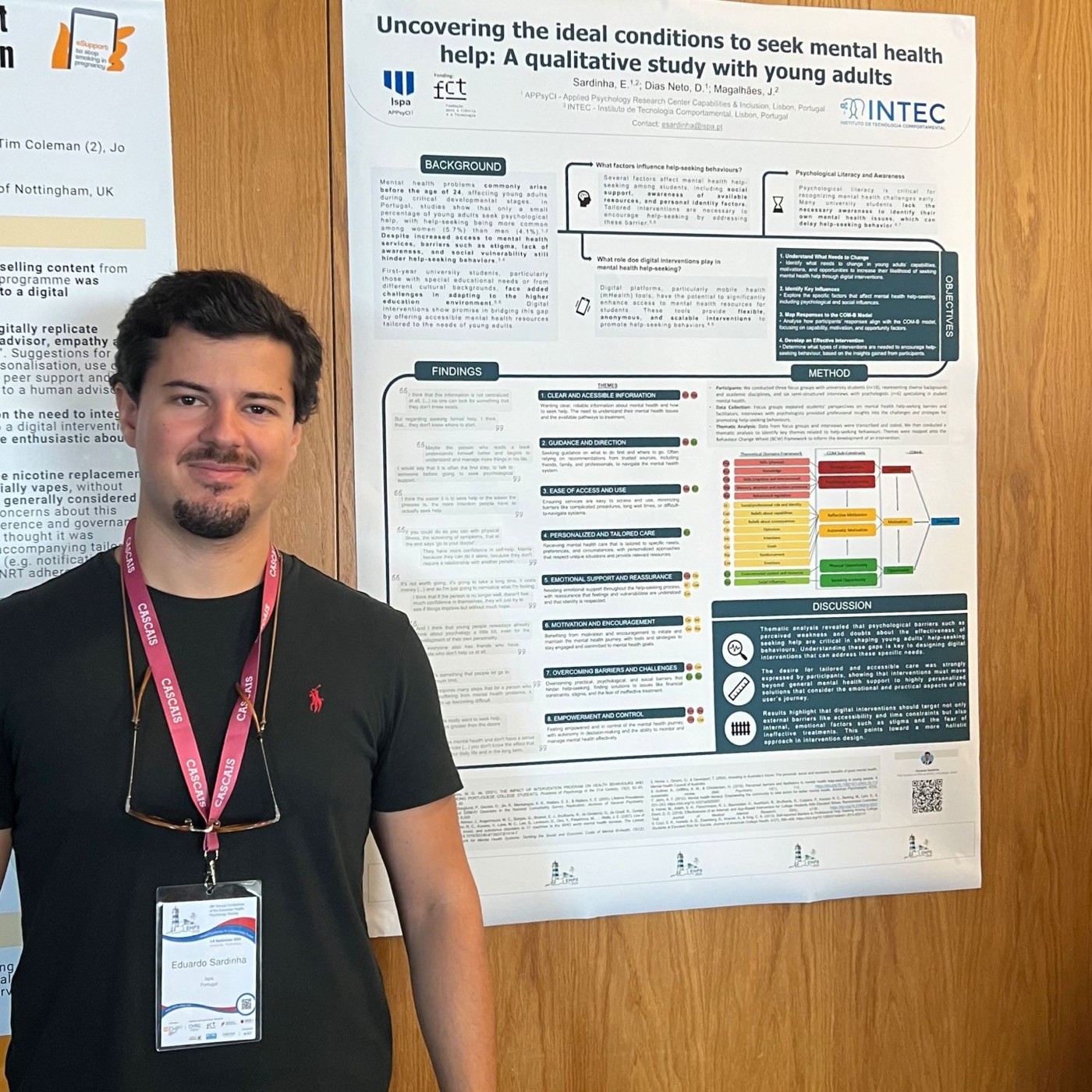
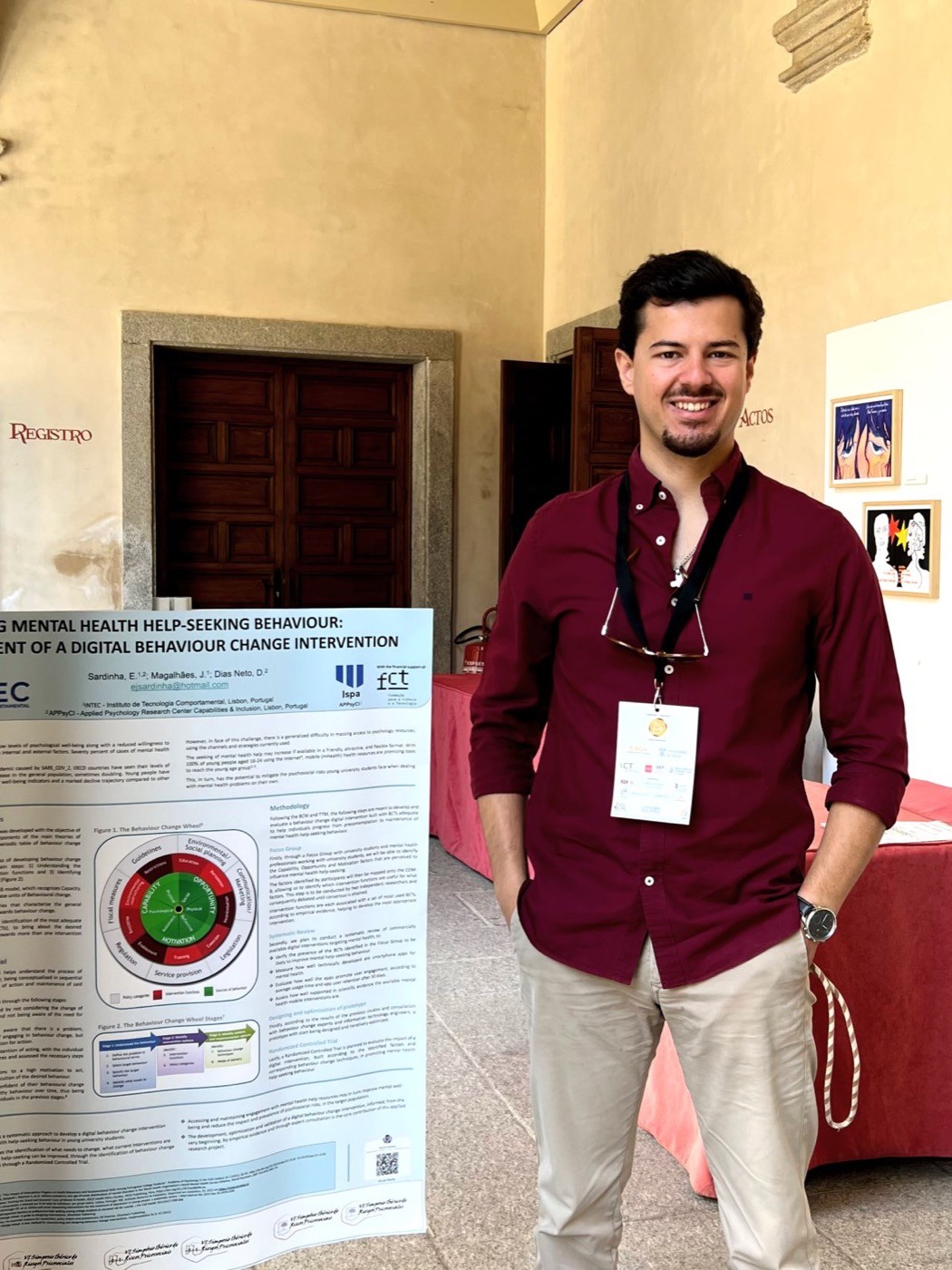
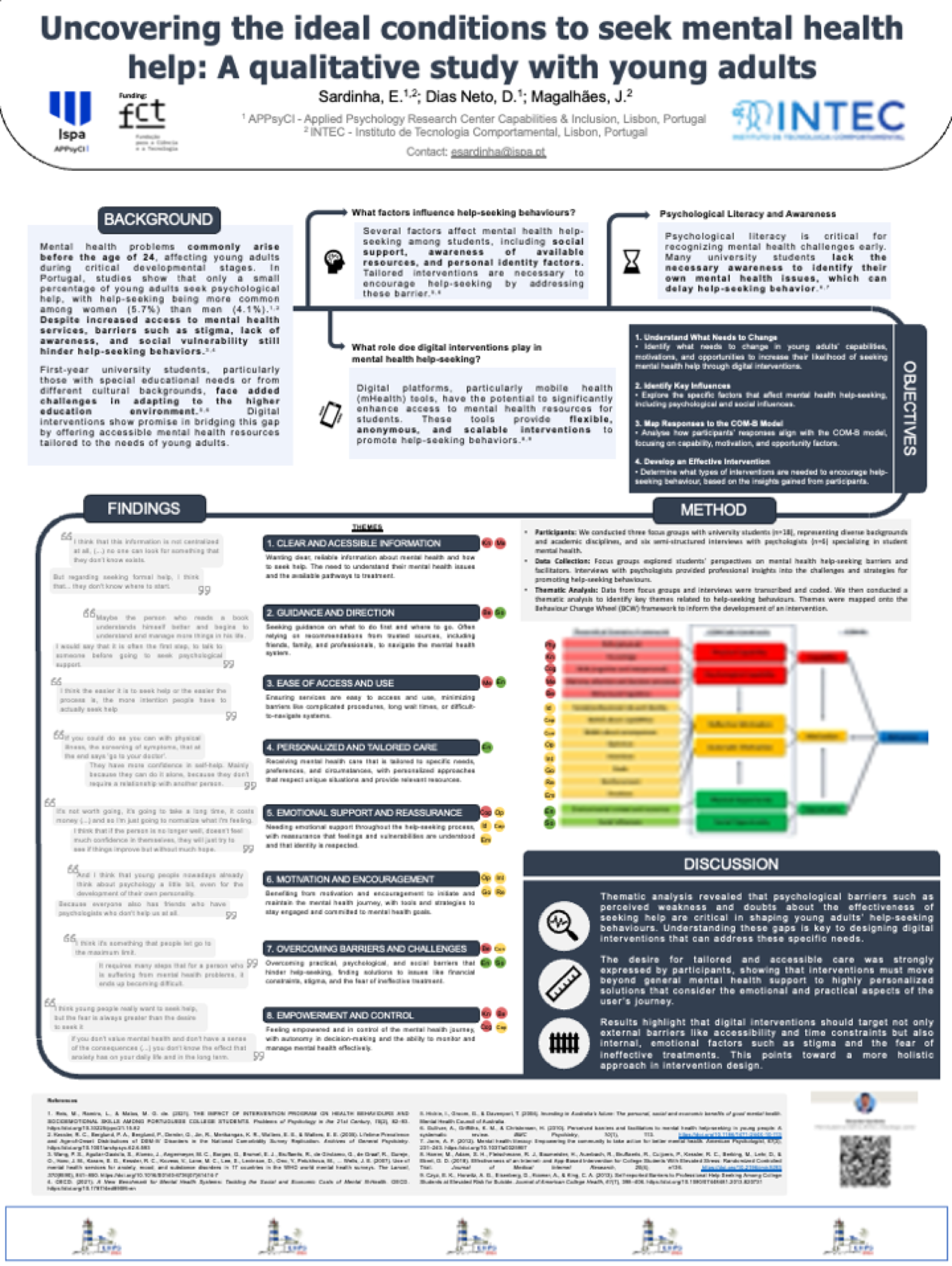
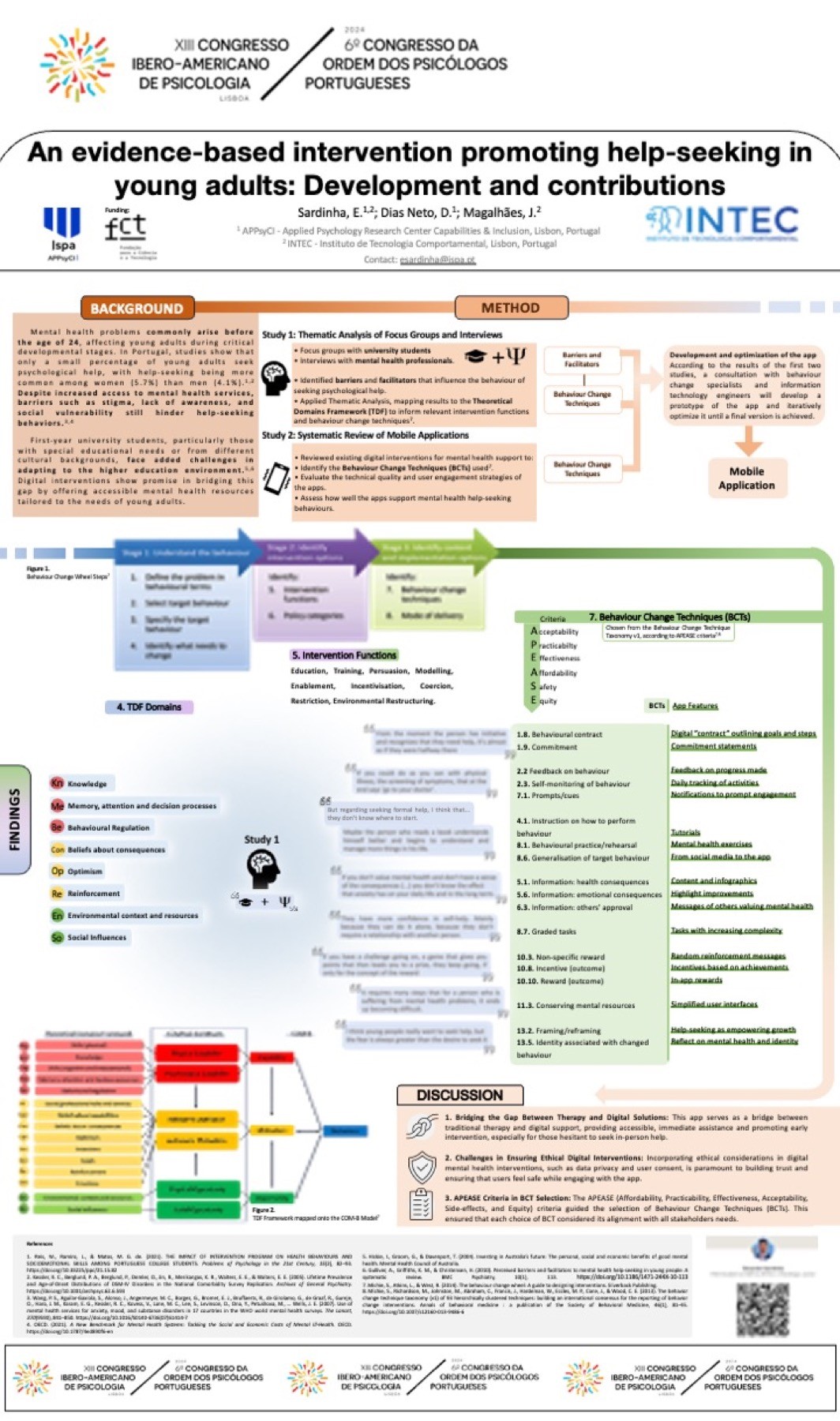
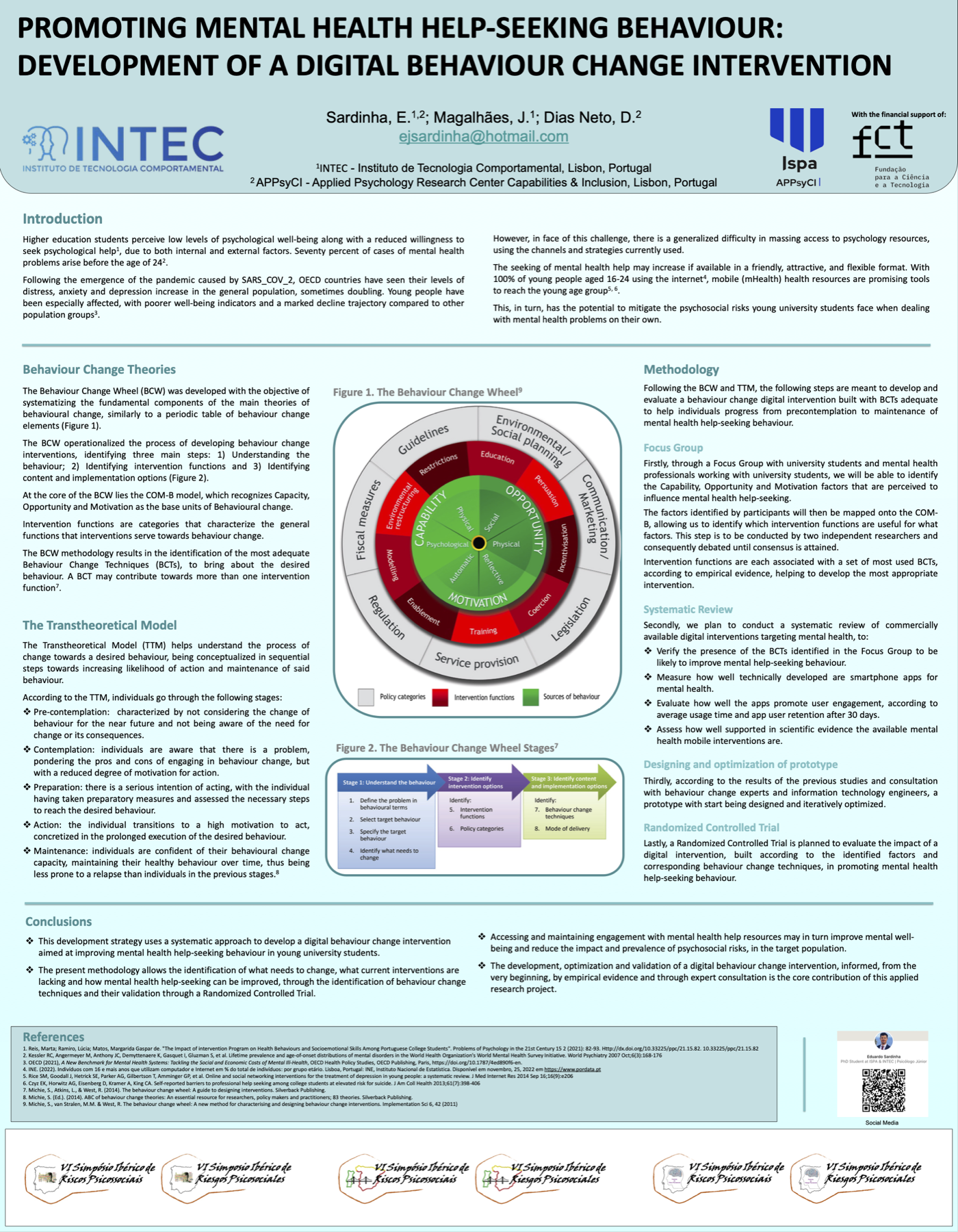
  • Conference Presentations – Presented research on mental health help-seeking and digital interventions at three conferences: European Health Psychology Society Conference, Order of Portuguese Psychologists Congress, and VI SIRPS. These poster sessions showcased the research foundation of Click!, helping validate the app's scientific basis and user-centered approach.
Research Planning Interviews User Journey Wireframing UI Design

UX-driven mental health intervention

The PhD research behind Click! App aimed to bridge mental health help-seeking and digital intervention design. It included one completed study and two planned studies, ensuring the app's UX was grounded in behavioral science and user needs.

  • Study 1: Focus Groups on Help-Seeking (Completed): Conducted 3 focus group with 14 students and 6 expert interviews to identify barriers, motivators, and expectations for a mental health app. Findings shaped core features, user journeys, and engagement strategies.
  • Study 2: Systematic Analysis Apps (Planned): Designed to evaluate behavior change techniques and UX strategies in existing apps to refine Click! App's content delivery and engagement mechanisms.
  • Study 3: Randomized Controlled Trial (Planned): Proposed to measure Click! App's impact on help-seeking behaviors and long-term user engagement, validating its design with real-world data.

This structured approach ensured that Click! App's design choices were backed by real user needs and behavioral science, making help-seeking simpler, engaging, and effective.

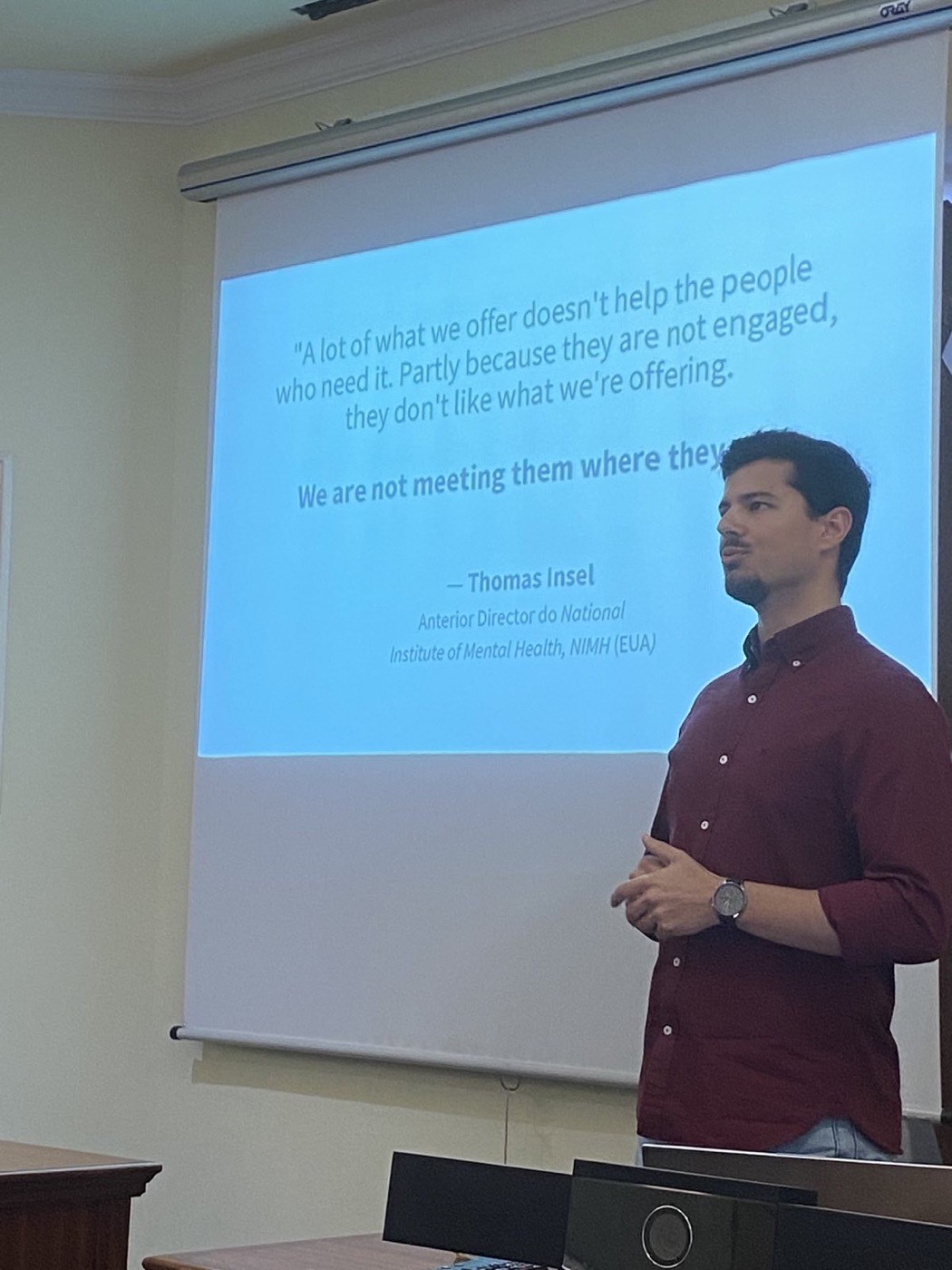
Eduardo presenting the research plan, with a Thomas Insel quote on meeting people where they are
Presenting the research plan behind Click!

Focus groups & expert interviews

To inform the Click! App design, I conducted 3 focus groups with a total of 18 university students and 6 interviews mental health professionals to identify barriers and facilitators of help-seeking behavior. Discussions were structured around real-life experiences, digital tool expectations, and behavior change principles.

Key findings

  • Barriers: Many students associated help-seeking with weakness, leading to avoidance. Privacy concerns also impacted engagement.
  • Facilitators: Users preferred personalized, discreet support and highlighted the importance of trusted content and expert guidance.
  • Motivation & Engagement: Gamification and step-by-step action plans were suggested to encourage continuous use.

Impact on design

  • Reinforced the need for a content hub, personal tracking, and therapist chat features.
  • Shaped UX strategies to build trust and ensure seamless engagement.
  • Strengthened behavioral nudges to improve help-seeking behaviors.

By embedding these insights, the Click! App was designed to address real barriers while fostering sustained mental health engagement.

From the field to the wall

Conference poster sessions and participant quotes that validated the research foundation behind Click!.

Conference Posters

Three poster sessions that validated the research behind Click!. Tap any poster to open the full PDF.

Eduardo beside the poster at the EHPS conference in Cascais Eduardo beside the poster at the VI SIRPS symposium

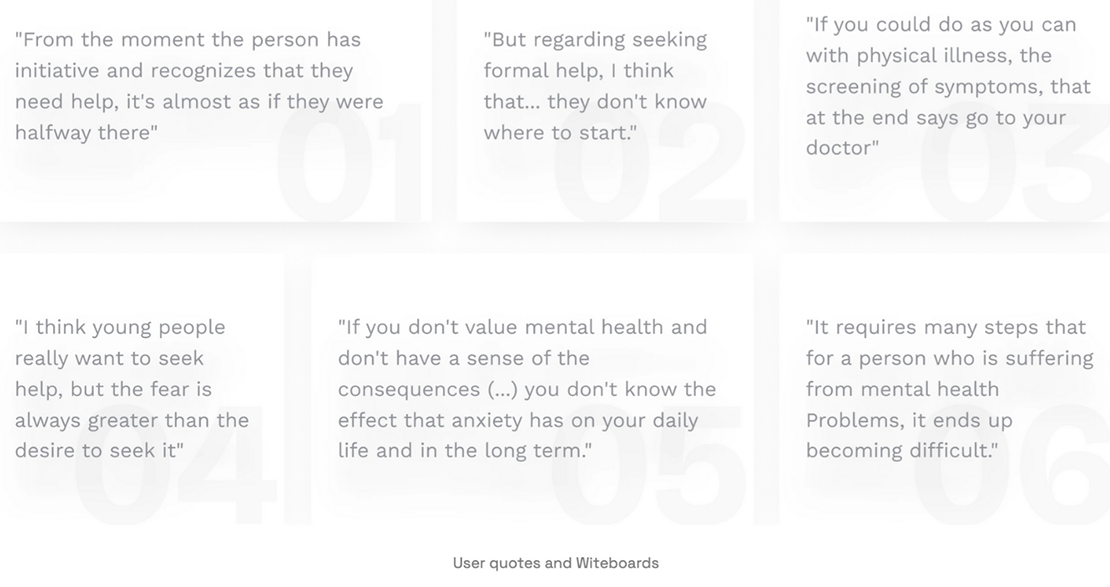
Participant quotes

Participant quotes from focus groups on help-seeking and digital mental health tools

Mapping help-seeking pathways

To improve user engagement, I mapped the therapy-seeking and self-help pathways in Click! App, identifying friction points and optimizing the flow for clarity and motivation. Insights from focus groups, expert interviews, and whiteboard workshops helped refine key transitions.

Findings & impact

  • Why these paths? Therapy-seeking and self-help were the app's core functions, directly influencing engagement and retention.
  • Validation? User journey insights came from focus groups, expert input, and iterative design sessions with the IT and psychology teams.
  • Pain points? Overwhelming choices, unclear next steps, and engagement drop-offs.

From whiteboard to FlutterFlow

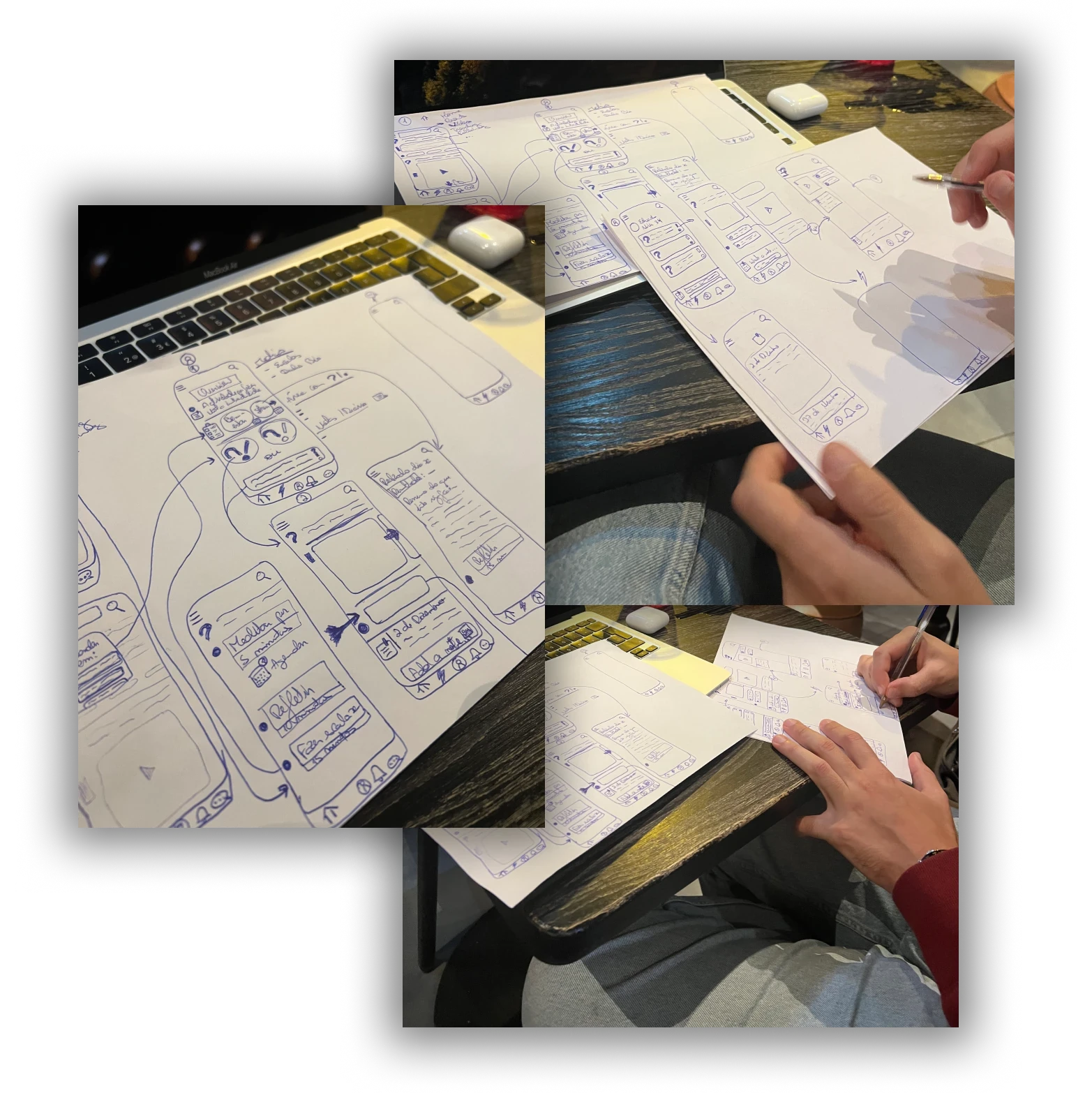
Hand-drawn sketches that led to the wireframe
Sketches that led to the Wireframe

The wireframing process for Click! App was an iterative and collaborative effort. Working closely with Filipe Pedroso, we began with whiteboarding sessions to structure the app's components based on research findings.

We organized the app into three fundamental areas:

  • Content & Interaction Hub – A space for users to share and engage with mental health-related content, similar to Reddit or Quora.
  • Personalized Space – A private repository for saved content, mental well-being tracking, and personalized reflections.
  • Resource Directory & Chat – A section for users to connect with mental health professionals and access relevant resources.

We iterated directly on whiteboards rather than using digital tools like Figma initially. Work was organized into biweekly sprints focusing on backend and UI workstreams.

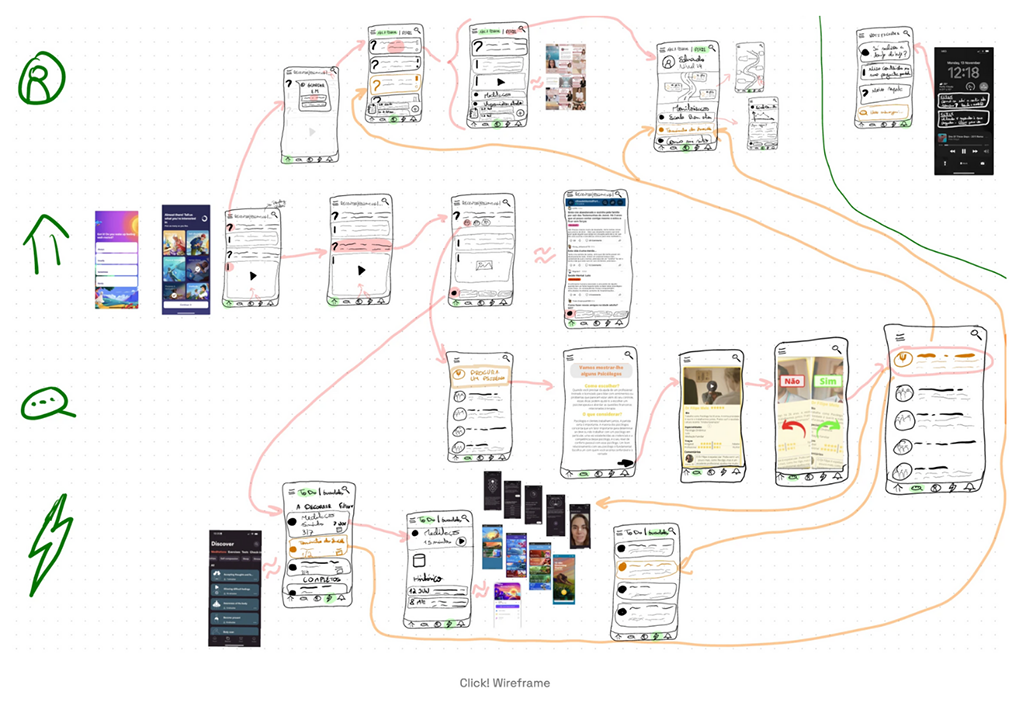
We then moved the wireframes to FlutterFlow to align design with technical feasibility, refining database structures to optimize data storage and retrieval. This iterative approach resulted in a functional low-fidelity prototype.

Low-fidelity wireframe board showing app screens and flows

Five core product areas

The wireframing process for Click! App was an iterative and collaborative effort. Working closely with an IT Master's student, an IT Professor, and a Psychology Professor, we structured the app's design based on research-backed principles. Instead of using traditional wireframing tools, we started with whiteboarding sessions, mapping out key features before transitioning to FlutterFlow for prototyping.

The app was built around five key areas:

  • Content & Interaction Hub – A Reddit/Quora-style space where users could engage post mental health questions, get answers from other users and professionals, plus access suggested actions.
  • Tasks Area – A structured self-help section with exercises designed to support mental well-being.
  • Personalized Space – A private dashboard for journaling, saved content, and emotional tracking.
  • Messages & Therapist Matching – A feature that allowed to match with a therapist, given a simple profile, plus direct communication hub for connecting with professionals.
  • Notifications & Engagement – A system to remind users of tasks, updates, and prompts for reflection.

Biweekly meetings with the IT and Psychology professors allowed us to refine the wireframes, ensuring technical feasibility and psychological effectiveness. The IT Master's student was responsible for translating the UI design from wireframes and FlutterFlow into an actual working app. Development was structured into sprints, where we iterated on data storage, authentication, and UI optimizations.

By the time we moved into FlutterFlow, the wireframes were already tested through these iterations, allowing for rapid prototyping and validation of core functionalities.
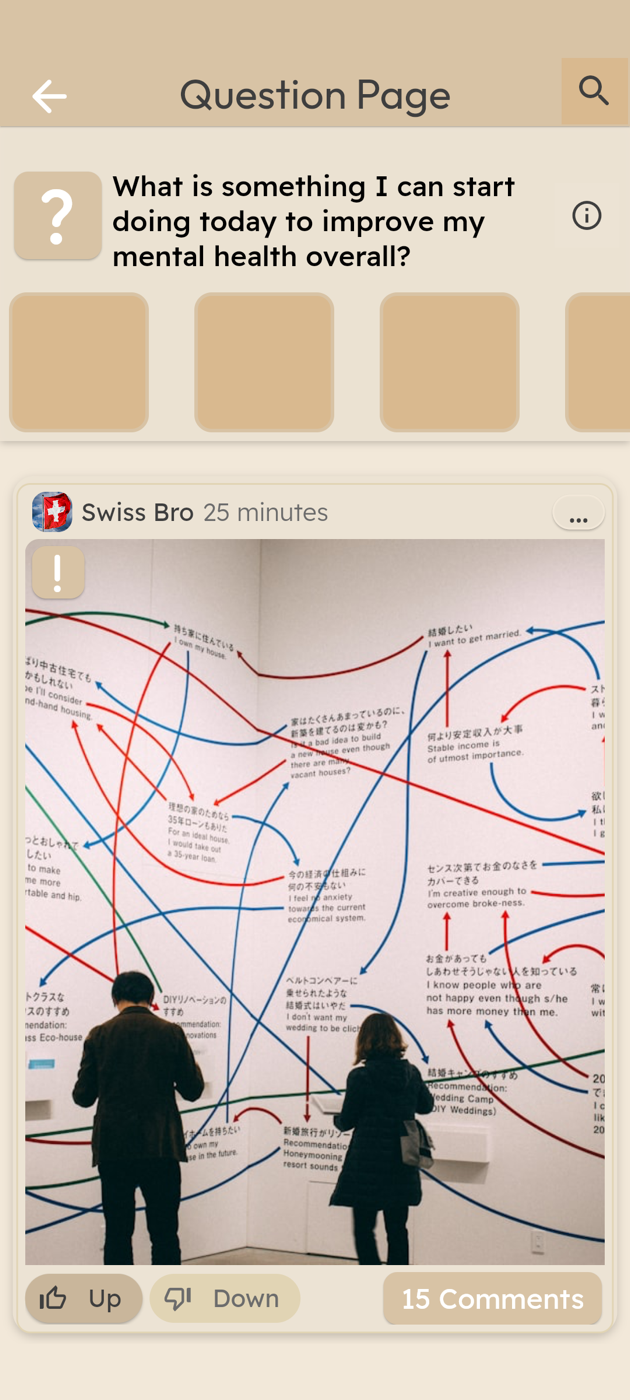
Click! question page: a community question with an image post, upvotes, and comments

High-fidelity mobile flows

Real high-fidelity screens prototyped in FlutterFlow, across the content hub, self-help tasks, and the personalized space.

Learnings & next steps

Learnings

  • Developing Click! reinforced the importance of bridging academic research with practical UX design.
  • Conducting focus groups provided invaluable insights into user pain points, shaping both content and feature prioritization.
  • Collaborating with IT and psychology experts taught me how to balance user needs with technical constraints while maintaining a research-driven approach.
  • Additionally, using FlutterFlow for prototyping accelerated iteration cycles, helping validate ideas quickly.

Next steps

  • Future improvements could include refining the therapist matching mechanism and expanding the personalization of self-help tools based on behavioral data.
  • A/B testing different engagement strategies could optimize user retention, and integrating AI-driven suggestions might enhance user guidance.
  • Additionally, transitioning from a research-driven prototype to a fully functional MVP would require further testing and funding.